Smartphone Gimbal Tricks That Make Your Clips Look Professional
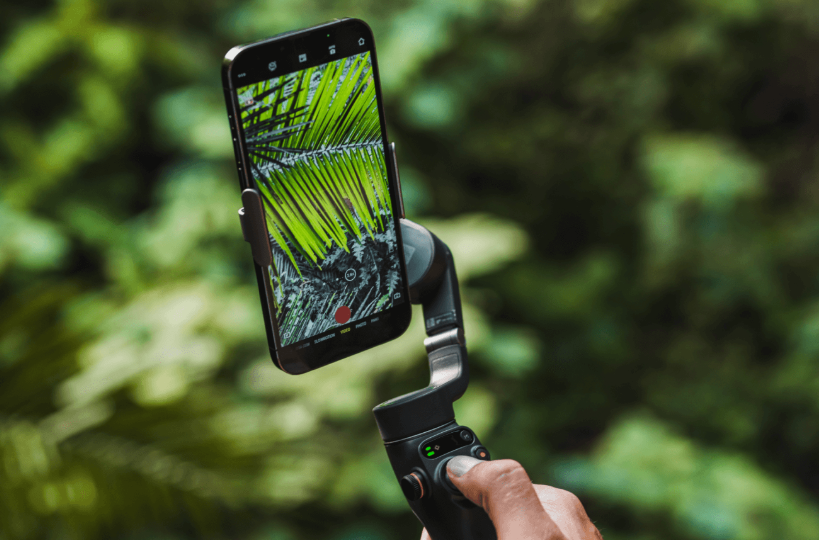
When you watch a polished video online, it often feels calm, intentional, and easy to follow, even when the creator is walking or filming in busy places. The secret is rarely an expensive camera. More often, it is smart use of a Smartphone-Gimbal plus a few simple habits. With the right tricks, your phone can create clips that look structured instead of random, smooth instead of jittery, and “professional” without looking stiff. You do not need complex gear or long technical training. What you do need is a clearer idea of how to move, where to stand, and when to let the Smartphone-Gimbal do the work for you. These practical ideas help you upgrade everyday footage while still feeling natural on camera.
Start With Intent: Plan the Shot, Not Just the Move
Professional looking clips usually start with a clear intention. Before you press record, ask yourself one simple question: what should the viewer notice first? It might be a person’s face, a plate of food, a doorway, or a city skyline. Once you decide, use your Smartphone-Gimbal to guide the eye gently toward that subject. Instead of spinning around to show everything, choose one main line of movement. For example, you can move slowly from a wide view of a street into a close shot of your friend laughing. This single, confident move feels more deliberate than a long clip where you wander without direction.
Another small but powerful trick is to define a start and end frame for each shot. Point your Smartphone-Gimbal at the starting composition and pause for a second before you move. Then perform your motion, and hold the end position still for another second. This gives your future self clean in and out points for editing and makes every clip feel like a complete thought. When you review the footage later, you will see fewer “what was I doing here?” moments and more shots that slot neatly into a sequence. Viewers may not know why the video feels organized, but they will sense that everything is there for a reason.
Using a Smartphone-Gimbal for Confident Camera Movement
Many people buy a Smartphone-Gimbal and still move like nervous beginners. They take tiny, hesitant steps or constantly adjust the frame while talking. To look professional, your movement should feel confident and relaxed. Think of the handle as a gentle steering wheel, not a joystick in a fast game. Walk at a steady pace, keep your shoulders loose, and let the Smartphone-Gimbal do most of the stabilizing. When you want to pan or tilt, breathe out and move slowly through the whole gesture instead of flicking your wrist. This steady motion gives your clips a calm, guided feeling that viewers associate with higher production value.
Another useful trick is to break long paths into short segments. Instead of walking a full block while recording, film three or four smaller moves with clear ideas. You could shoot a push in toward a café door, then a slow pan across the interior, and finally a pull back from a table to show the whole room. Your Smartphone-Gimbal keeps each piece smooth, and your editing later weaves them into a complete story. Short, confident moves also reduce the risk of bumps, collisions, or awkward encounters, because you can pause often, check your surroundings, and reset your framing without rushing.
Layering Composition and Depth With Your Smartphone Gimbal
Stability alone does not make a clip feel professional. Composition and depth play a huge role. A simple trick is to always look for three layers: foreground, subject, and background. With your Smartphone-Gimbal, you can slide past objects like railings, plants, or door frames to create a foreground that frames the subject. This adds a sense of depth and makes the viewer feel like they are moving through real space rather than looking at a flat snapshot. Try starting with a foreground element close to the lens, then glide sideways to reveal your subject behind it. The move is easy, but the result looks surprisingly polished.
Leading lines are another powerful tool. Streets, fences, shelves, and corridors all naturally guide the eye. Position your subject where those lines point, and then use your Smartphone-Gimbal to move along them. For example, walking down a hallway with your friend centered where the lines converge instantly feels cinematic. Keep your horizon straight, avoid tilting the frame for no reason, and pay attention to the edges so that heads and hands are not cut awkwardly. When composition and gimbal movement support each other, even a simple everyday location starts to look like a planned set.
Smartphone-Gimbal Tricks for Clean Transitions
One of the easiest ways to make your clips look professional is to build transitions into the camera movement itself. Instead of cutting randomly between scenes, you can use your Smartphone-Gimbal to create repeated motions that hide the edit. A classic trick is the “whip pan.” At the end of a shot, you quickly pan to one side. At the start of the next shot, you pan in the same direction and speed. When you cut between the two in editing, the motion blends them together, making it feel like one continuous move. Used sparingly, this gives your videos energy without feeling gimmicky.
You can use foreground objects for transitions as well. Walk toward a wall, sign, or person until it fills the frame, then start the next shot already close to a similar object and pull back. Your Smartphone-Gimbal keeps both moves smooth, so the cut feels natural and motivated. Another simple trick is to tilt up to the sky at the end of a scene and tilt down from the sky into the next one. These repeated motions, controlled carefully by your Smartphone-Gimbal, create visual rhythm. Viewers may not consciously notice the technique, but they will feel that the video flows in a more professional way than a simple sequence of hard cuts.
See also: Adorable Matching Outfits for Moms and Kids
Polishing Your Footage With Simple Smartphone Gimbal Habits
Professional looking clips come from small, repeatable habits rather than one dramatic trick. Get used to checking light and background before you even lift your Smartphone-Gimbal. Step sideways to avoid clutter, and look for soft, even light on faces. Ask people to move slightly instead of accepting bad angles. Then let the gimbal handle the movement while your attention stays on expression and timing. If you are vlogging, leave a brief pause before and after each sentence so you can trim clips cleanly. Short moments of stillness at the end of a move make your footage easier to cut and reduce the risk of accidental motion right after a good take.
Another habit is to review a few clips on a larger screen whenever you can, even if it is just a tablet or laptop at the end of the day. Notice where the Smartphone-Gimbal work looks smooth and where it still feels rushed or confused. Maybe you tend to turn too fast, or you often drift away from your subject. Make a mental note, and adjust one thing the next time you shoot. Over weeks of use, these small corrections build into a personal style that feels deliberate and consistent. Your equipment has not changed, but your sense of timing, framing, and camera confidence has. That quiet improvement is what makes your clips look truly professional.